
Download QManga – digital comics, manga reader, comic book reader, image viewer, portable app, lightweight tool, no installation needed, read manga, Japanese reading mode, keyboard shortcuts, multi-page display, comic collection, image formats, ZIP, RAR
Overview
QManga is a specialized utility designed for reading digital comics, with a focus on simplicity, portability, and compatibility. Built for users who maintain personal comic collections, the app enables seamless access to a wide variety of image-based manga and comic books without requiring installation. This makes it particularly useful for readers who value flexibility and want to carry their library across devices using a flash drive. The application supports multiple image formats, including JPG, PNG, and GIF, as well as compressed archives such as ZIP and RAR, allowing users to organize their collections efficiently without format conversion.
Target users include manga enthusiasts, digital comic collectors, and individuals who prefer a no-frills reading experience. The app is especially suited for those who read on multiple computers or frequently switch devices, as it operates independently of system settings. Its lightweight nature and lack of installation requirements position it as a practical tool within the productivity category, despite serving a creative and entertainment-focused purpose. Although the developer did not provide additional technical details, the app’s long-standing presence since 2011 suggests a stable and reliable core functionality. Real-world use cases include reading manga during travel, accessing personal archives at work, or sharing collections across family devices without configuration.
Key Features & Functionality
- Multiple Format Support: QManga supports common image formats such as JPG, PNG, and GIF, along with compressed file types like ZIP and RAR. This ensures users can open comics directly from their archives without prior extraction, streamlining access to large collections.
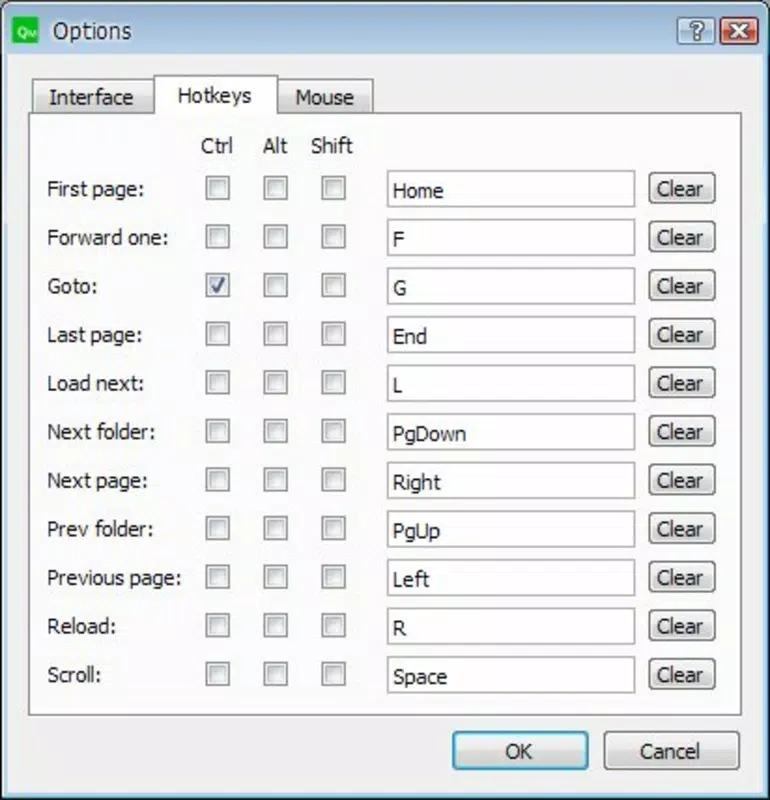
- Customizable Navigation: The built-in keyboard shortcut editor allows users to define their preferred key mappings for page turning, zooming, and navigation. This feature enhances efficiency, particularly for fast readers or those with repetitive strain concerns.
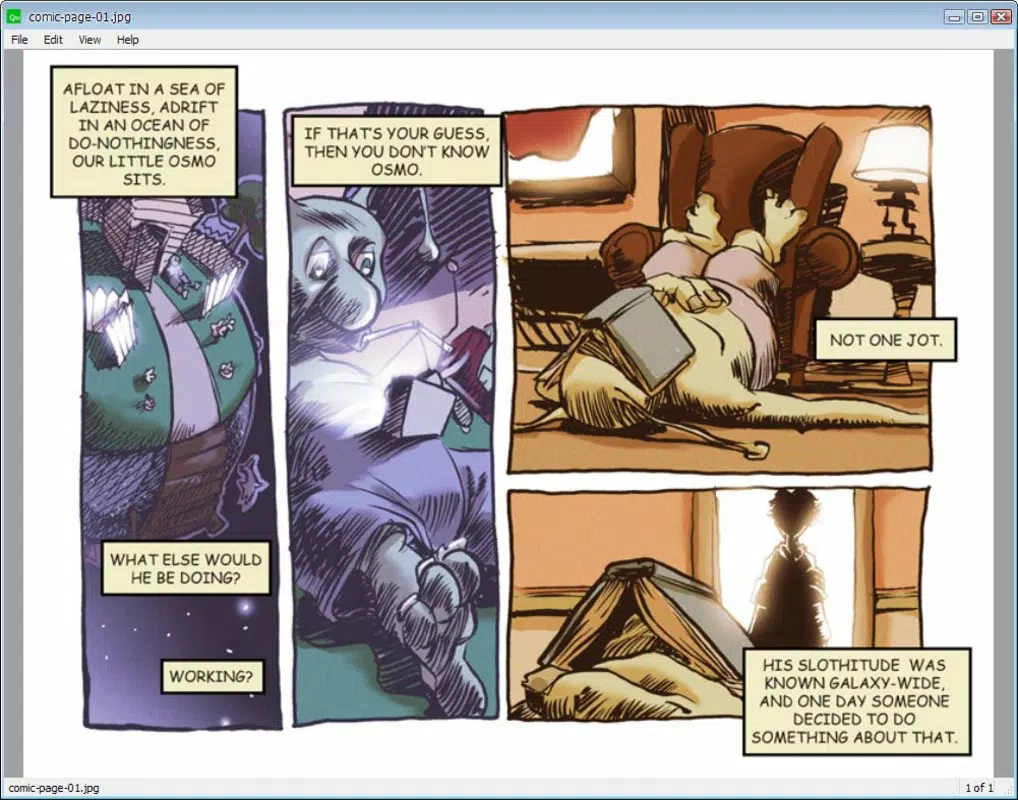
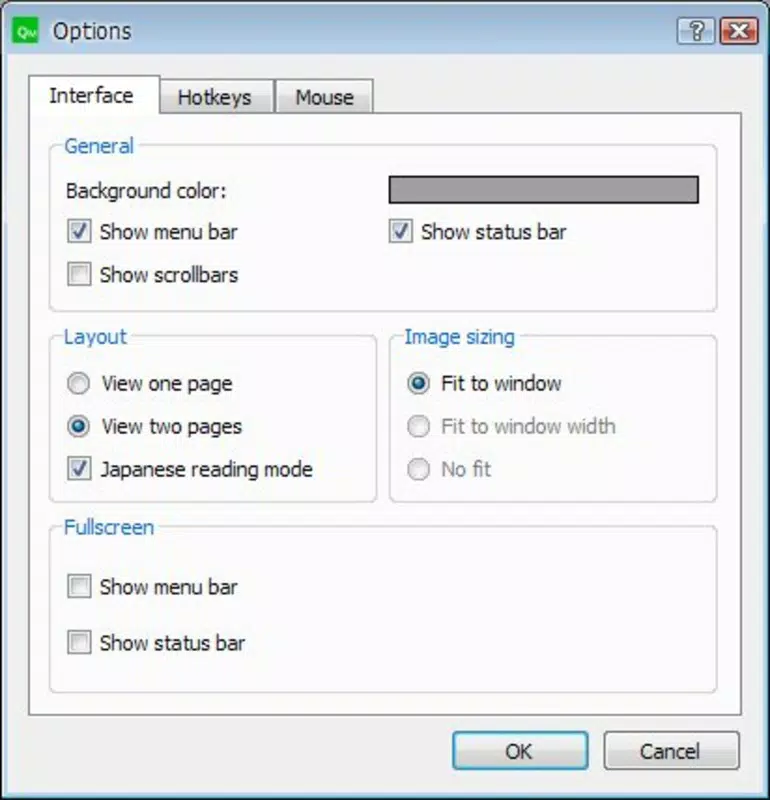
- Simultaneous Page Display: Users can view one or more pages at once, offering flexibility for comparing panels, following complex layouts, or enjoying a more immersive, comic book-style experience.
- Japanese Reading Mode: A dedicated right-to-left reading mode caters to manga fans who want an authentic experience, preserving the original reading direction of Japanese comics.
- Portable and Lightweight Design: The application runs directly from a flash drive without installation, making it ideal for use on public or shared computers. Its small file size of 4.7 MB ensures quick transfer and minimal storage impact.
These features collectively support real-world scenarios such as reading manga during commutes, managing large comic libraries on the go, or using the app in environments where software installation is restricted. The combination of format flexibility, customization, and portability makes QManga a practical choice for dedicated readers.
Interface, UX & Performance
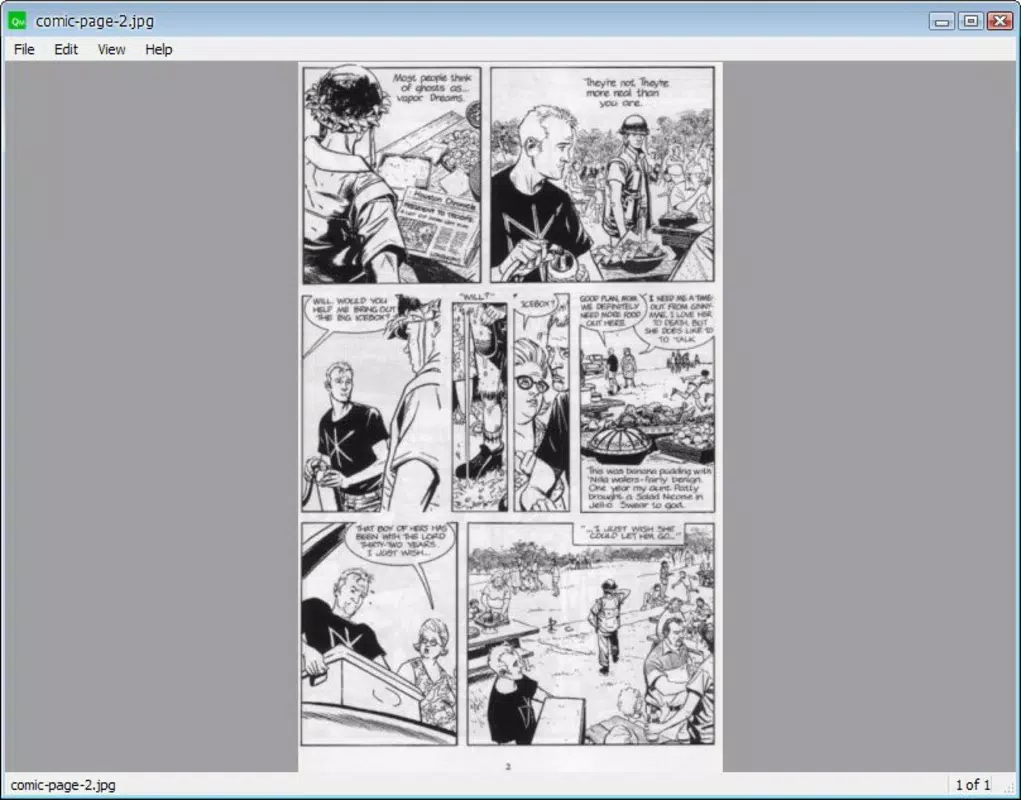
QManga features a clean, minimal interface focused on functionality rather than visual flair. The layout prioritizes readability, with navigation controls positioned intuitively for quick access. Users can adjust settings such as zoom levels, page layout, and reading direction through a straightforward menu system. The absence of advertisements or intrusive elements contributes to a distraction-free reading experience.
Navigating through comics is smooth, with responsive controls that react promptly to keyboard inputs. Although the developer did not list formal performance metrics, the app’s lightweight design suggests efficient resource usage across a range of devices. It performs well on older systems and low-spec machines, making it accessible to users with limited hardware capabilities. Stability appears consistent, as the app has remained in use since 2011 without reports of widespread crashes or bugs. The interface remains stable across different screen resolutions, though specific compatibility details were not disclosed.
Platform Compatibility & Technical Requirements
QManga is designed for the Windows platform and runs on various Windows operating systems. The current version is 2.3.0, with a file size of 4.7 MB. The application is distributed as a standalone executable, meaning it does not require installation.
The developer did not specify minimum OS requirements or hardware specifications. As such, compatibility with specific Windows versions, such as Windows 7, 8, 10, or 11, remains unconfirmed. Users should exercise caution when running the app on newer systems, as older executables may encounter compatibility issues.
However, the portable nature of the app allows for testing on different machines without permanent changes to the system.
Pros and Cons
- Supports multiple image and archive formats without conversion
- Runs directly from a flash drive with no installation required
- Customizable keyboard shortcuts for efficient navigation
- Includes Japanese reading mode for authentic manga experience
- Lightweight and fast, suitable for older or low-resource devices
- Not available for mobile platforms (Android or iOS)
- Interface lacks modern visual polish or customization options
- No built-in library management or metadata tagging
- Developer did not provide update frequency or future roadmap
- Compatibility with newer Windows versions is unverified
FAQ
Is QManga free to use?
Yes, QManga is available at no cost. The app is distributed as a free tool for reading digital comics and does not require payment or subscription.
Can I run QManga on Android or iOS?
Currently, QManga is designed exclusively for Windows. There is no official version available for Android or iOS devices.
Do I need to install QManga to use it?
No, QManga is a portable application. It can be run directly from a flash drive or any folder without installation, making it ideal for temporary or shared systems.
What file types does QManga support?
QManga supports common image formats such as JPG, PNG, and GIF, as well as compressed archives like ZIP and RAR. Comics stored in these formats can be opened directly.
Is QManga safe to download and use?
Yes, QManga is a legitimate tool distributed through official channels. It does not contain malware or intrusive ads. However, users should always download from trusted sources to ensure security.
Final Thoughts
QManga stands out as a focused, efficient tool for readers of digital comics and manga. Its no-installation model, support for multiple formats, and customizable navigation make it a reliable choice for users who value portability and simplicity. While it lacks modern UI polish and mobile availability, its core functionality remains robust and effective.
The app is ideal for manga fans, digital collectors, and anyone seeking a lightweight, distraction-free reading experience on Windows. For those who prioritize functionality over aesthetics and need a tool that works across devices without setup, QManga delivers real value. Download QManga now


